
How to Spot Phishing Scams: Fake Delivery Emails & Grubhub Case Study
Learn how to spot a phishing scam using a real-world fake Grubhub delivery email. Discover the red flags, whitelisted domains, and what to do if you receive one.
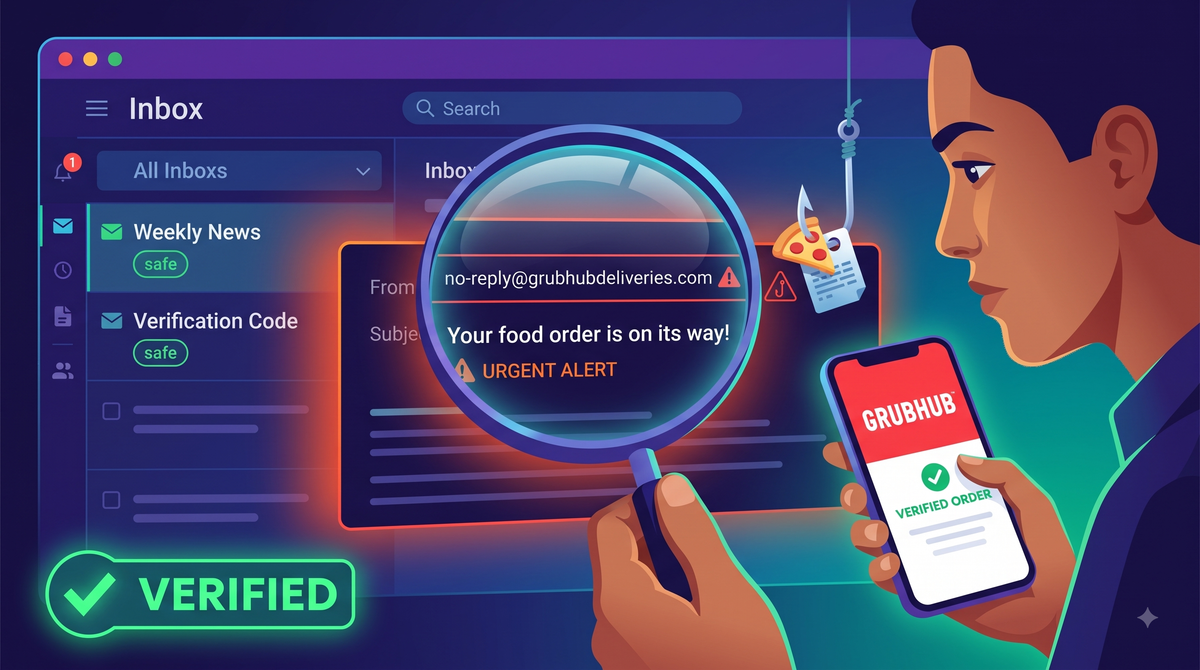
With online food delivery being a daily routine, scammers are increasingly leveraging fake order confirmations to steal credentials and harvest active email addresses. We are going to break down a real-world phishing attempt targeting a user with a fake Grubhub delivery notification, highlighting the exact red flags you need to look out for.
The Lure: A Fake Grubhub Delivery Email
Recently, a user received an email claiming to be a Grubhub order confirmation for "Luigi's Pizza". The email urged the recipient to track an order they never placed.
Here is the exact email that was received:
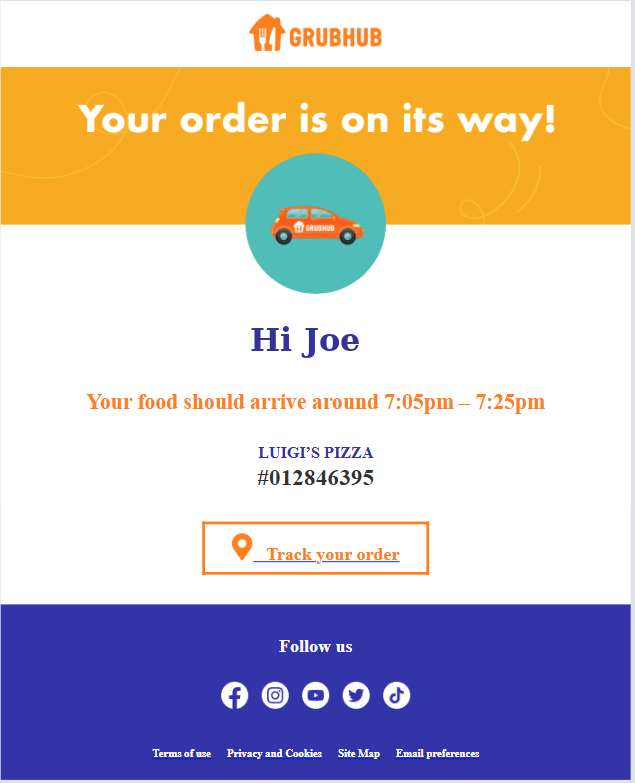
At first glance, the scammers used the Grubhub logo and familiar brand colours to build trust. However, breaking down the email reveals a cheap spoof.
Red Flags: How to Spot the Scam
1. Unofficial and Spoofed Domains
The most critical indicator of this scam is the sender's email address. In this case, the email originated from:no-reply@grubhubdeliveries.com
While it contains the brand name, this is not an official Grubhub domain. Scammers use a tactic called "typosquatting" where they register lookalike domains by appending words like deliveries, support, or login to a legitimate brand name. Anyone can register a .com domain containing a company's name until it gets taken down for fraud.
Always check the company's whitelisted domains. Grubhub's official documentation explicitly lists all approved domains allowed to send email communications on their behalf. Their whitelisted domains are:
@grubhub.com@seamless.com@mandrillapp.com@mandrill.com
The domain grubhubdeliveries.com is completely unauthorised and would fail standard email security checks like SPF, DKIM, and DMARC alignment for legitimate Grubhub servers.
2. Dodgy Design and Poor Coding
This email is a blatant fake, and the design work is a complete giveaway.
- Un-styled Fonts: Genuine corporate email templates do not use raw, un-styled serif fonts for their core text, order numbers, and footer links.
- Cheap Call to Action: The "Track your order" button is a mess. It is just a default blue, underlined web link dumped into a basic orange border.
- Overall Polish: It is a cheap, poorly coded spoof template built to look legitimate only at a quick, panicked glance.
What You Should Do
If an email like this lands in your inbox, here is exactly what you need to do:
- Do not click a single thing: No links, no attachments, and definitely no "unsubscribe" buttons. Clicking anything just confirms to the scammers that your email address is active and monitored.
- Do not reply: Engaging with the sender only flags you as a live target for more spam.
- Report it: Do not just delete it. Hit the 'Report Spam' or 'Report Phishing' button in your email client. If you manage a corporate environment, report it directly to your provider (like Microsoft) as a phishing attempt. This feeds the telemetry straight into their threat intelligence, helping to block the campaign globally across filters like Exchange and Defender.
- Verify at the source: If you are genuinely waiting on a delivery and get spooked, open a new tab, type the official website address directly into your browser, or open the actual mobile app to check your order status.

Comments ()